MEP Family Standards: How Much LOD Is Enough, and Why Junk Families Break Systems
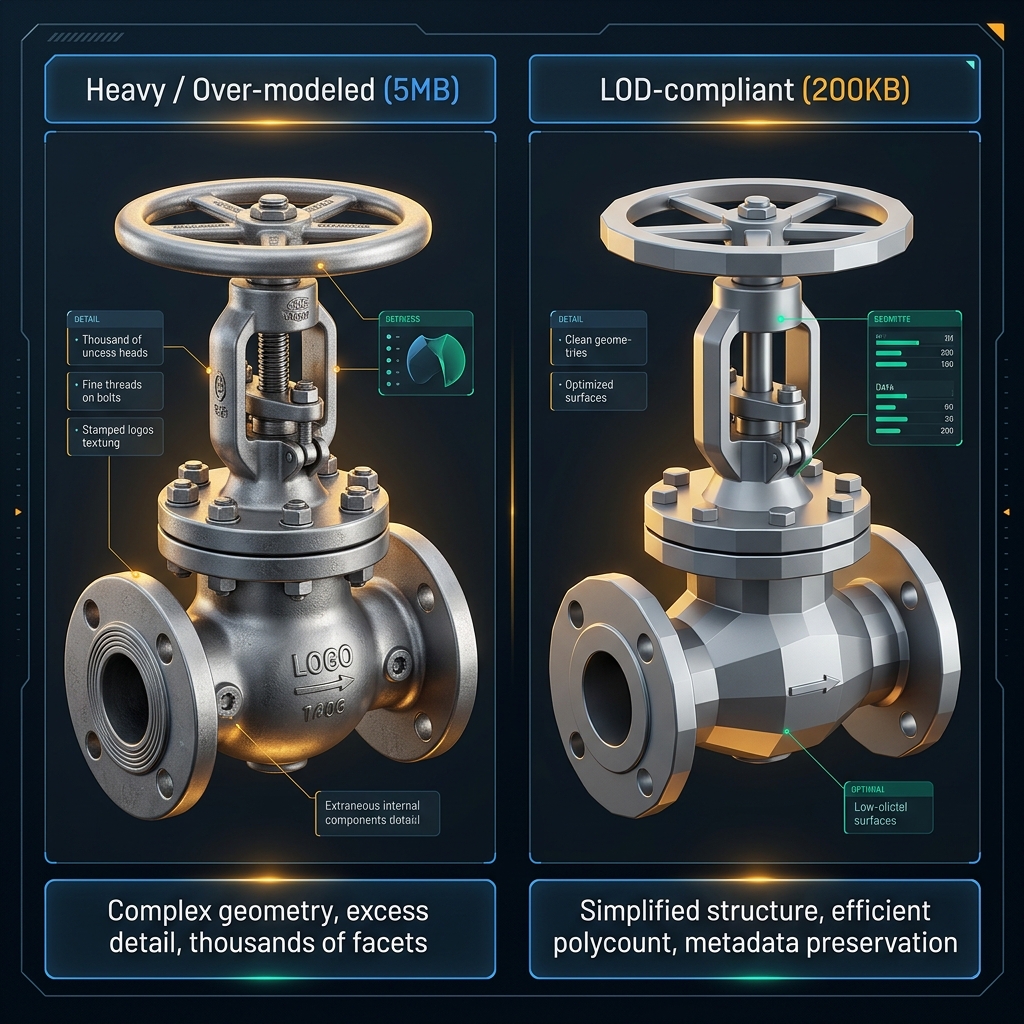
Our MEP model setup checklist flags item 5: don’t use in-place families for standard equipment. But even with loadable families, ones downloaded from uncontrolled sources remain the most common silent cause of bloated MEP files and disconnected systems.
Why families from outside sources cause harm
Families built by non-specialists usually carry unnecessary geometric detail — thread patterns, bolts, stiffener ribs — inflating file size 10-20x compared to a properly optimized family. Worse, their connectors are usually missing correct System Classification (Supply Air, Return Air, Hydronic Supply…), which keeps Revit from recognizing a continuous system and causes it to auto-generate junk System Types like Mechanical System 1, Mechanical System 2 — the clearest sign your model has connector-broken families.
The right LOD for construction stage
For construction documentation, LOD 300-350 is enough: a representative shape at the correct envelope size, no surface detail needed, but rich in non-geometric data — part number, manufacturer, capacity, project Shared Parameters.
Naming standards
Agree on a naming formula for families and system types at the start of the project, e.g. [Manufacturer]_[Equipment Type]_[Model Code] — don’t let Revit auto-generate default names for either.
Clean up on a schedule
Run Manage → Purge Unused weekly, don’t wait until the end of the project — it only lists families, types, and systems no longer referenced by any element in the current model, safe to run on a regular schedule.
Common mistake
Scanning the Project Browser and finding Family/Type names that don’t follow the naming standard is the first sign; the second is .rvt file size growing disproportionately to the actual work modeled — both point to the same root cause: families with uncontrolled provenance.
📋 Free 15-Point MEP Model Quality Checklist
Family standards are just 1 of 15 items. A ready-to-use tick-box list to run before you hand off a model — catch clashes and quantity errors early. Fill in your info to get the free checklist.
Or see the hands-on Revit MEP course by TBT Academy (Vietnamese) ↗
Frequently asked questions
- What does LOD 300-350 mean for MEP families?
- A representative shape at the correct envelope size, no need for surface detail like threads or bolts, but rich in non-geometric data - part number, manufacturer, capacity.
- Why do families from outside sources cause disconnected systems?
- Their connectors are usually missing correct System Classification, which keeps Revit from recognizing a continuous system and causes it to auto-generate junk System Types like Mechanical System 1.
- Is Purge Unused safe to run on a regular schedule?
- Yes - it only lists families, types, and systems no longer referenced by any element in the current model, safe to run weekly.